Wordpress/WooCommerce installation
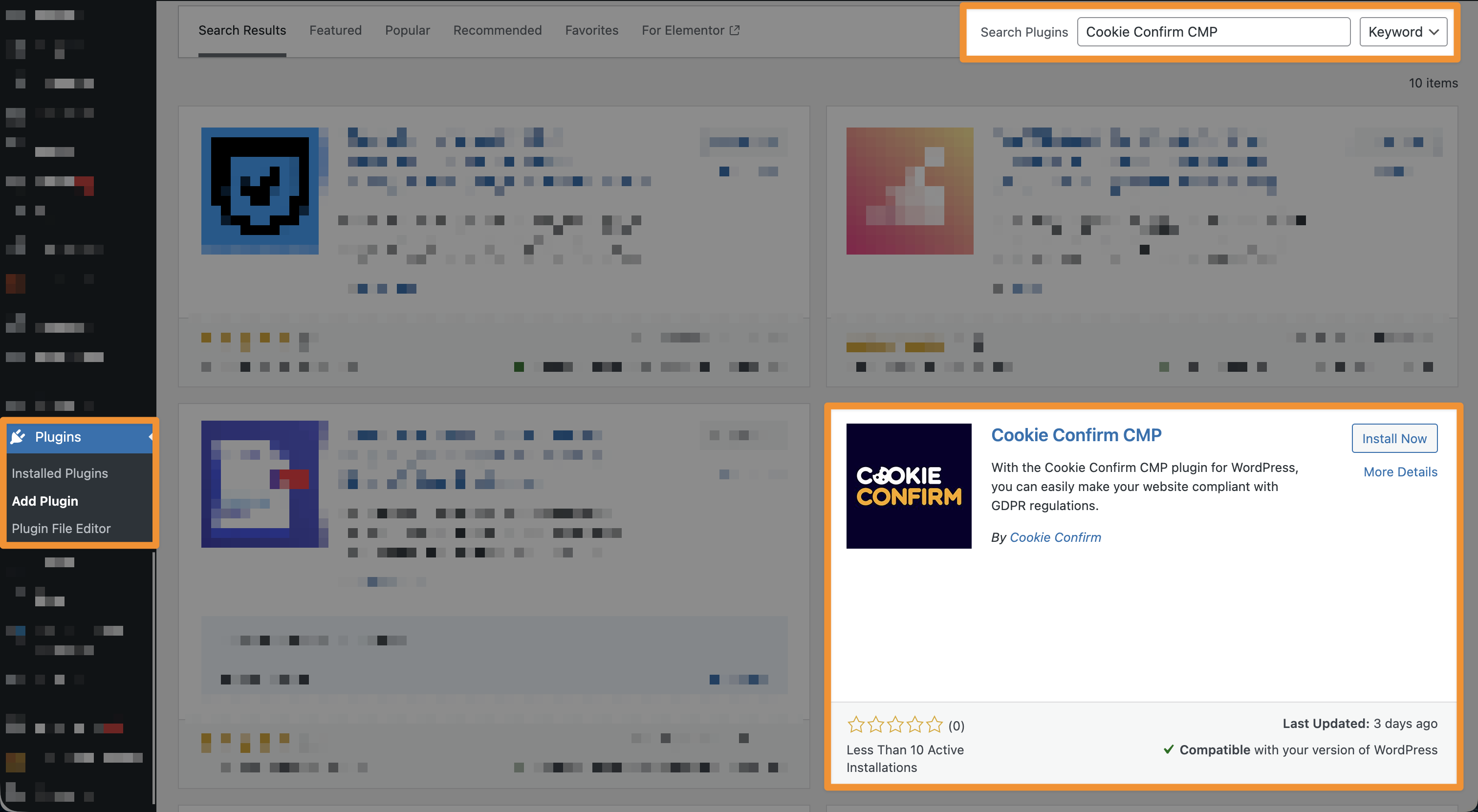
To install the Cookie Confirm CMP plugin, log in to your website and go to 'Plugins', 'Add plugin'. Search for 'Cookie Confirm CMP', click 'Install' and then 'Activate'.
Once installed, the plugin appears in the left sidebar menu.
The plugin has 4 settings to configure:
General: choose whether you installed Cookie Confirm via Google Tag Manager (GTM) or not. When disabled, we inject the script directly into your source code. When enabled, the cookie banner is loaded through GTM.
Google Consent Mode: only use this if you're not using Google Tag Manager. If you are using GTM, configure these settings there instead. Here you can set things like your default consent settings.
Scripts: block scripts that load and fire cookies. You can match scripts using 'regex', 'starts with', 'ends with' or 'contains', and set per script when it's allowed to load.
Iframes: works exactly the same as 'Scripts'.
💡 Make sure you have a Cookie Confirm account before using the plugin.