Managing consent in the sGTM container (Server-Side)
When you're using server-side tracking, you also need to configure consent inside your Server-Side GTM (sGTM) container. Below, we’ll walk you through how to set this up, step by step.
Step 1: how Google tags handle consent automatically
When Consent Mode is enabled in your web GTM container, Google tags automatically add a GCS parameter (Google Consent State) to each outgoing request.
Example of a GA4 request sent from the browser to your server container:
https://sgtm.example.com/g/collect?v=2&tid=G-XXXXXX>m=45je37&_p=123456&gcs=G100
The part gcs=G100 contains the user’s current consent settings.
How the GCS value works
G1→ version of the consent stringCharacters after that (e.g.
00) → actual consent values:1= granted0= denied
So when GCS = G101, it basically means 'ad_storage' is denied and 'analytics_storage' is allowed.
💡 Google tags in your server container automatically read the GCS parameter and respect the user's consent. You don't need to configure anything extra for them. This applies to all native Google tags such as GA4, Google Ads, and Floodlight.
Step 2: creating custom blocking triggers in sGTM
You can use custom triggers that look for specific GCS patterns to control when a tag is allowed to fire.
Blocking trigger 1: analytics_storage = denied
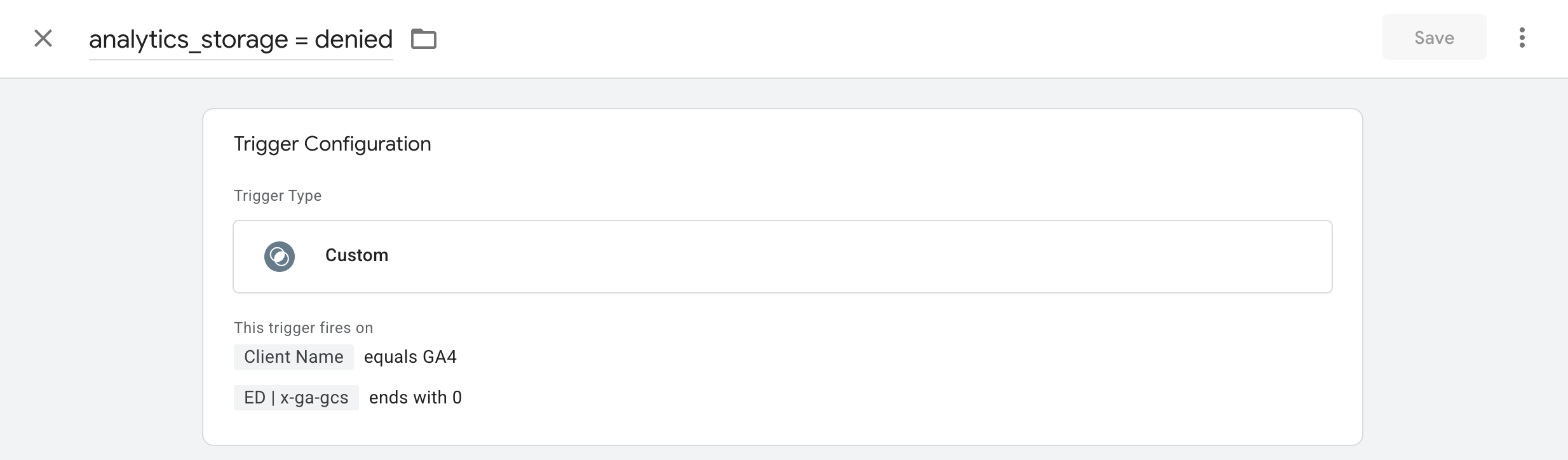
Trigger name: analytics_storage = denied
Trigger type: Custom
This trigger fires on:
Client NameequalsGA4
ED | x-ga-gcsends with0
💡 ED | x-ga-gcs’’ is a event data variable which takes the GCS variable from the incoming request
Blocking trigger 2: ad_storage = denied
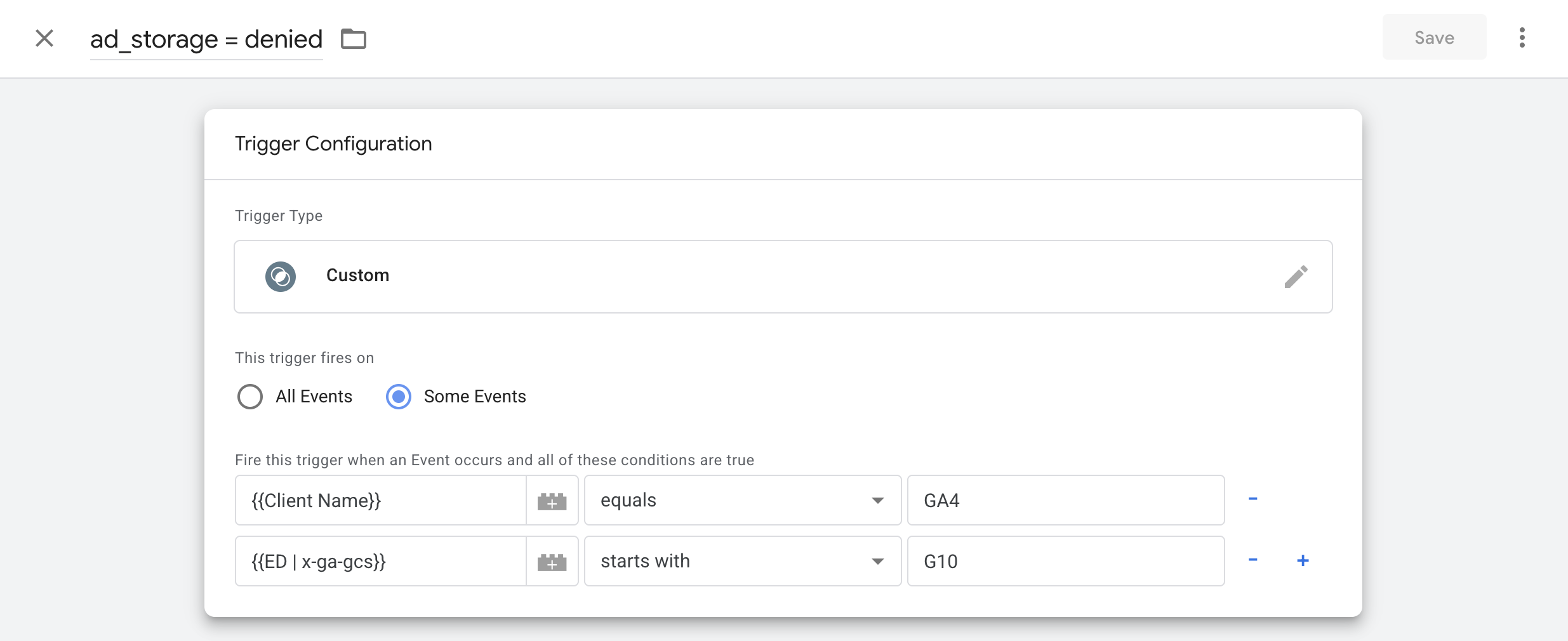
Trigger name: ad_storage = denied
Trigger type: Custom
This trigger fires on:
Client NameequalsGA4ED | x-ga-gcsstarts withG10
💡 Here, G10 indicates ad_storage consent is denied.
Step 3: applying the blocking triggers
Once your triggers are created, it’s time to apply them to the tags that shouldn’t fire without consent.
Open the tag that should not fire when consent is denied.
Go to Triggering → Exceptions.
Add the appropriate blocking triggers:
analytics_storage = deniedad_storage = denied
This makes sure the tag stays blocked whenever a visitor has denied consent for those storage types.